
Cath Copilot
Recommend, draft, route. Cath Copilot sees only what the signed-in clinician may see, cites every fact to its source record, and never changes anything without a confirmation. The AI runs on the machine, so nothing leaves the hospital network.
Cath Copilot is a prototype running on synthetic data only. It is not a medical device and is not for clinical use. It recommends, drafts, and routes; it never diagnoses, orders, or decides. A clinical safety and information-governance process precedes any use with real patient data.
Cardiology
Cath Copilot
Who it’s for
Interventional cardiology teams: operators, nurses, physiologists, radiographers, coordinators, quality leads, and the IT and information-governance staff who deploy for them.
Problem
A cath-lab case touches the EPR, RIS, PACS, physiology system, inventory, and ePMA. Readiness checks, event validation, note writing, audit returns, and handovers are assembled by hand from those systems, and the gaps are found late or not at all.
How it works
- 1
Sign in with your hospital account. Your role decides what you can see; a nurse sees planned access but not order details, a radiographer cannot open the medication chart, and break-glass access is audited.
- 2
Ask the copilot what needs attention or open a case. Pre-case flags come from deterministic local rules, the in-room timeline validates events as they arrive, and reconciliation catches values where sources disagree.
- 3
Draft the procedure note, the audit return, and the handover from the record with a citation on every sentence. Signing locks when a statement has no support. Actions arrive as cards you confirm; nothing changes on its own.
Key features
- Chat-first workspace with agents for readiness, in-room, notes and coding, handover, results, and implant recall
- Pre-case brief with a source on every field and rule-based flags to resolve, assign, or escalate
- Live in-room timeline with event validation and display-only haemodynamics
- Reconciliation, a cited procedure-note draft, claim-support check, sign-off, and export
- National audit return pre-filled from the record and code suggestions with their evidence
- Cited handover to CCU, recovery, or ward, acknowledged by the receiving nurse
- Results and follow-up loop closure, and implant recall search across all cases
- Role-based access, break-glass with a reason, and an append-only hash-chained audit log
- Connects to FHIR, DICOMweb PACS, HL7 v2 over MLLP with TLS, and IEEE 11073 SDC devices
- Local AI through Ollama; runs solo on one PC, as a lab host, or against a hospital server
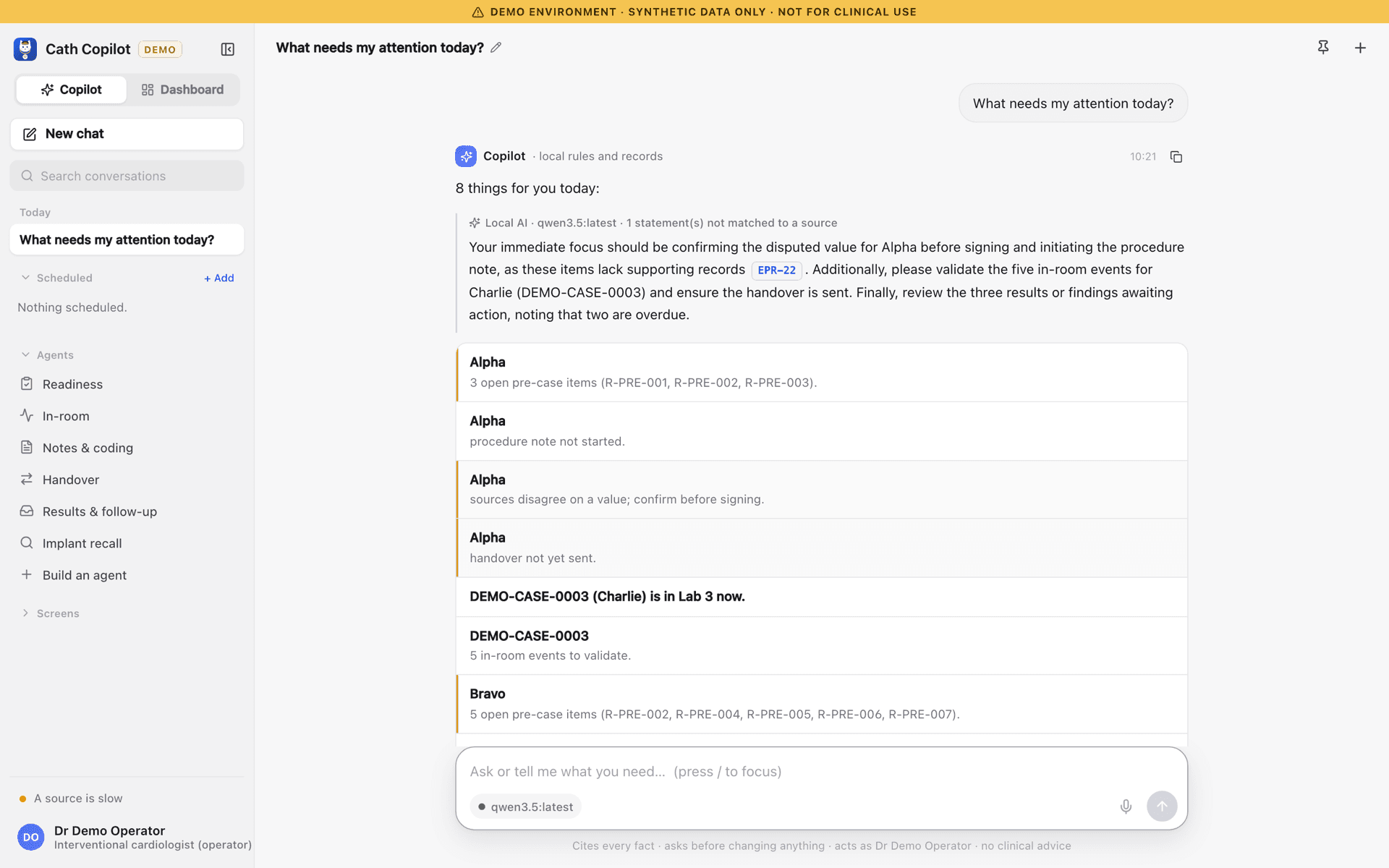
Inside Cath Copilot
Screens from the current build. Details may change as the product develops.
Example journey
Step 1
Start the day
Ask what needs your attention. The list is built from the record and each item opens the right screen.
Step 2
Get the case ready
Resolve pre-case flags with a note, or assign and escalate them to the right person.
Step 3
Run the case
Validate timeline events as they arrive and confirm any value where two sources disagree.
Step 4
Close the loop
Sign a cited note, confirm the audit return, send the handover, and see it all in the audit log.
Get updates
Current status: Pilot